
Build Massive Lists of Ready-to-Contact Businesses Without the Massive Bill
Let MapBulk find you business addresses, phones, websites, and more from Google Maps. Then adds emails and website-context for custom outreach. Start free in browser. Scale & enrich for as low as $0.0003/lead.
- 47M+Placesprocessed
- 47M+Phone numberscollected
- 25M+Emailsfound
- 38M+Websitesanalyzed
- 4.4B+Website context wordsextracted
Ads Are Expensive. Social Media Takes Time.
Massive lists usually mean expensive databases, generic records, or hours of manual research. MapBulk finds real Google Maps businesses, then adds website-published emails and context for personalized outreach at scale.
Build My First List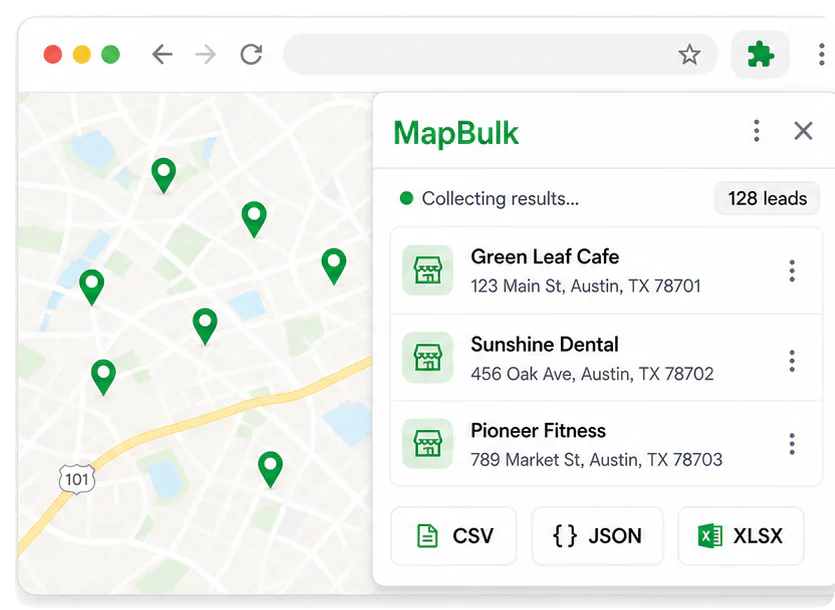
Free Chrome extension
Scrape unlimitedGoogle Maps leadsfor free right from Chrome
Choose a market and build your list locally without paying for every result.
- Local Maps collection without per-result credits
- No credits required for local scraping
- Export locally as CSV, JSON, or XLSX
Massive lists in the cloud
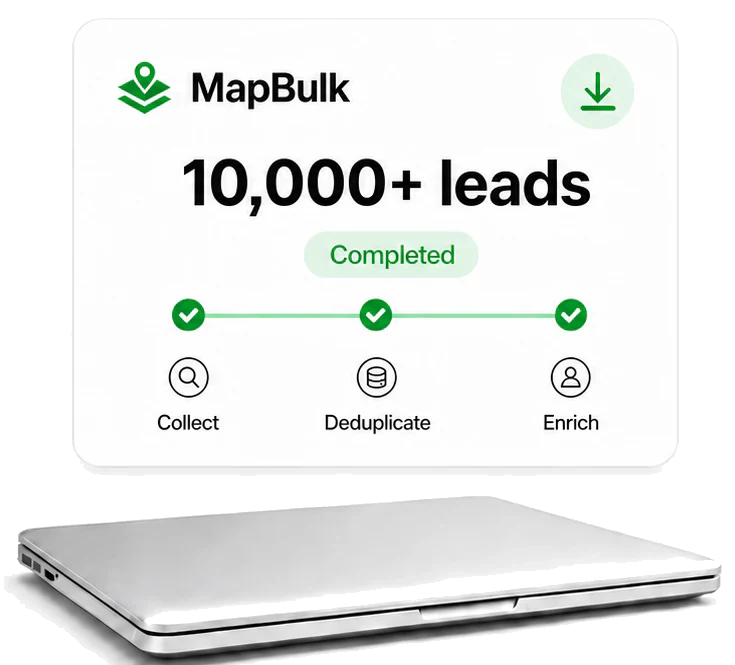
Build Massive Lead Lists in the Cloud While You’re Away
Set your target once and let MapBulk build the entire list in the cloud.
- Collects, deduplicates, and enriches with emails and website context while you’re away
- Keeps running without using your browser, RAM, or attention
- From $0.001 down to $0.0003 per enriched lead at full monthly allowance
Emails + website context
Obtain the Emails andContexts from TheirWebsites for YourCustom Email Outreach
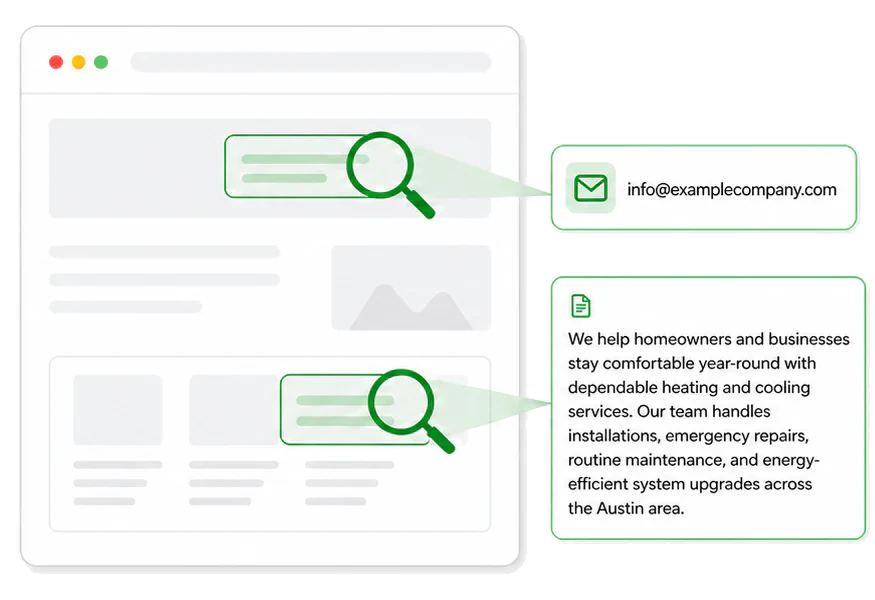
Turn public website information into everything your AI needs to personalize outreach.
- Finds email addresses published on each business’s website
- Captures useful context about its services and business
- No guessed emails and no enrichment charge when none are found
How credits work
1 credit= 1 business with
- Emails
- Phone
- Address
- Website
- Website context
No email found? You pay nothing for that business.
Up to 96%
Lower Cost for 1k Lead Lists
$0 Extra
Additional Emails. Duplicates. Retries.
5-in-1
Maps Records, Emails, Context, API, MCP & CLI in One Price
3 Months
Paid Credits Valid from Each Grant
The Features Most Scrapers Leave for Another Tool
| Features | MapBulk | Outscraper | Scrap.io | Apify | PhantomBuster | Lobstr | Octoparse | Openmart | Instantly | Apollo | Lead411 | Hunter |
|---|---|---|---|---|---|---|---|---|---|---|---|---|
| 10,000+ cloud lists | ||||||||||||
| Maps + email + context + API + MCP & CLI in one price | ||||||||||||
| Email & website context sources | ||||||||||||
| ~300-word context from each website | ||||||||||||
| No charge when no email is found | ||||||||||||
| No extra charge for additional emails found | ||||||||||||
| Cross-search deduplication | ||||||||||||
| Unlimited free Chrome scraping | ||||||||||||
| Local data option | ||||||||||||
| Unused credits roll over for 3 months* | ||||||||||||
| CSV, JSON + XLSX export |
* Each paid credit allocation expires three calendar months after its grant. Changing or cancelling a subscription does not reset that date. Welcome credits never expire.
Build an Outreach-Ready List in 3 Steps
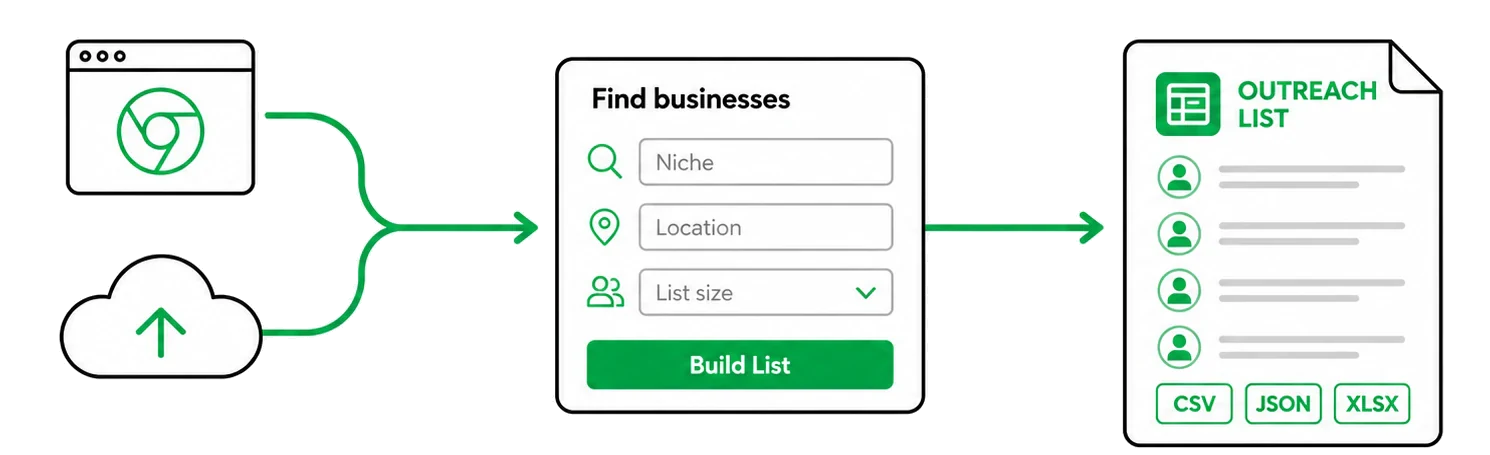
Choose Chrome or Cloud
Run locally for free in Chrome, or use the cloud for larger lists and enrichment.
Tell MapBulk What to Find
Enter a niche, location, and list size, then let MapBulk build your list.
Download a List Built for Outreach
Export Maps data, published emails, and website context as CSV, JSON, or XLSX.
Frequently Asked Questions
What does unlimited free Google Maps scraping actually mean?
Free accounts can collect Google Maps lead rows locally with the Chrome extension without a MapBulk credit or result cap. It does not include Cloud runs, website-email enrichment, or website context. Chrome, Google Maps, your computer, and source availability still determine practical capacity.
What is the difference between the free extension and a paid plan?
Free accounts collect and export Maps records locally, and receive 200 non-expiring credits once for Dashboard Cloud collection and enrichment. Paid plans add monthly credits and higher local worker limits; Scale and Max also include API, MCP and CLI access. Free lead rows are not silently uploaded to MapBulk servers.
Can I close my laptop while MapBulk is running?
Not during a local Chrome run. Chrome and your computer must remain available, although committed progress can resume after an interruption. Cloud runs continue without your browser once Cloud access is enabled.
How do MapBulk credits work?
1 credit = 1 business with its emails, phone, address, website and website context. In a Cloud list with emails you pay only for businesses where we find an email; the ones without an email cost nothing. A Maps-only Cloud list uses 0.5 credit per business, enriching a list you already have uses 0.5 credit per business with an email, and the Chrome extension is free.
What happens when no email is found?
In a Cloud list with emails, that business costs nothing. In a Maps-only list, only the 0.5 credit for its Maps record is used. Additional accepted emails, duplicates, retries, and replays create no extra charges.
Does MapBulk guess or verify email addresses?
MapBulk does not generate guessed or pattern-based emails. It accepts addresses explicitly published on accessible business websites and retains source evidence. It can also collect up to 300 source-linked context words when enough relevant content is available.
Can I limit the size and maximum cost of a run?
Yes. Choose Unlimited or set a maximum number of unique businesses. Unlimited means collecting as much as the credits available in your plan permit, not unlimited paid processing beyond your balance. MapBulk calculates the maximum possible credit exposure before starting.
How does MapBulk handle duplicates, failures, and interrupted runs?
MapBulk uses deduplication, checkpoints, durable jobs, and idempotent retries to preserve committed progress. Duplicate results, retries, replays, and system failures are not billed as additional successful output.
How can I export or automate my results?
Export canonical records as CSV, JSON or XLSX, including available evidence links. Scale and Max plans add REST API, MCP and CLI access to the same durable jobs and records when those capabilities are enabled for the account.
Where is my data stored, and how do I sign in?
MapBulk supports Google sign-in or email and password. Local extension campaigns remain inside your Chrome profile until you delete them, clear extension data, or uninstall the extension. Enabled server workflows store product data in your private MapBulk workspace.
Free Chrome extension
The First 4,500 Users Get Unlimited Google Maps Scraping for Free.
Create your account now to reserve your access.Install MapBulk Chrome Extension later using the same email.
- Desktop Chrome
- Local lead rows
- No Maps-result credits